

A production-ready Ansible automation toolkit for bootstrapping and provisioning secure Linux servers with Docker, Nginx, SSH hardening, and Fail2Ban.
Jinx
A production-ready Ansible automation toolkit for bootstrapping and provisioning Linux servers with secure defaults, Docker, Nginx, SSH hardening, and Fail2Ban.
About The Project
Jinx automates the process of preparing a fresh Linux virtual machine for production use. Instead of manually configuring users, SSH, Docker, packages, and security settings, everything is managed through reusable Ansible playbooks and modular roles.
The project follows a two-phase provisioning workflow that safely transitions a brand-new server from password-based access to a hardened, key-based deployment.
Key Features
- Two-stage provisioning workflow for fresh Linux servers
- Automatic creation of a dedicated SSH administrator
- Ed25519 SSH key generation and deployment
- Passwordless sudo configuration
- OpenSSH hardening with secure defaults
- Fail2Ban protection against brute-force attacks
- Automated Docker installation and configuration
- Nginx installation and service management
- Modular role-based Ansible architecture
- Idempotent playbooks that can be safely re-run
Development Progress
Overall Progress~90%
The core provisioning workflow is complete, including bootstrap automation, user management, SSH hardening, Docker, Nginx, and Fail2Ban. Future work includes CI pipelines, Molecule testing, firewall automation, and support for additional Linux distributions.
Technology Stack
System Architecture
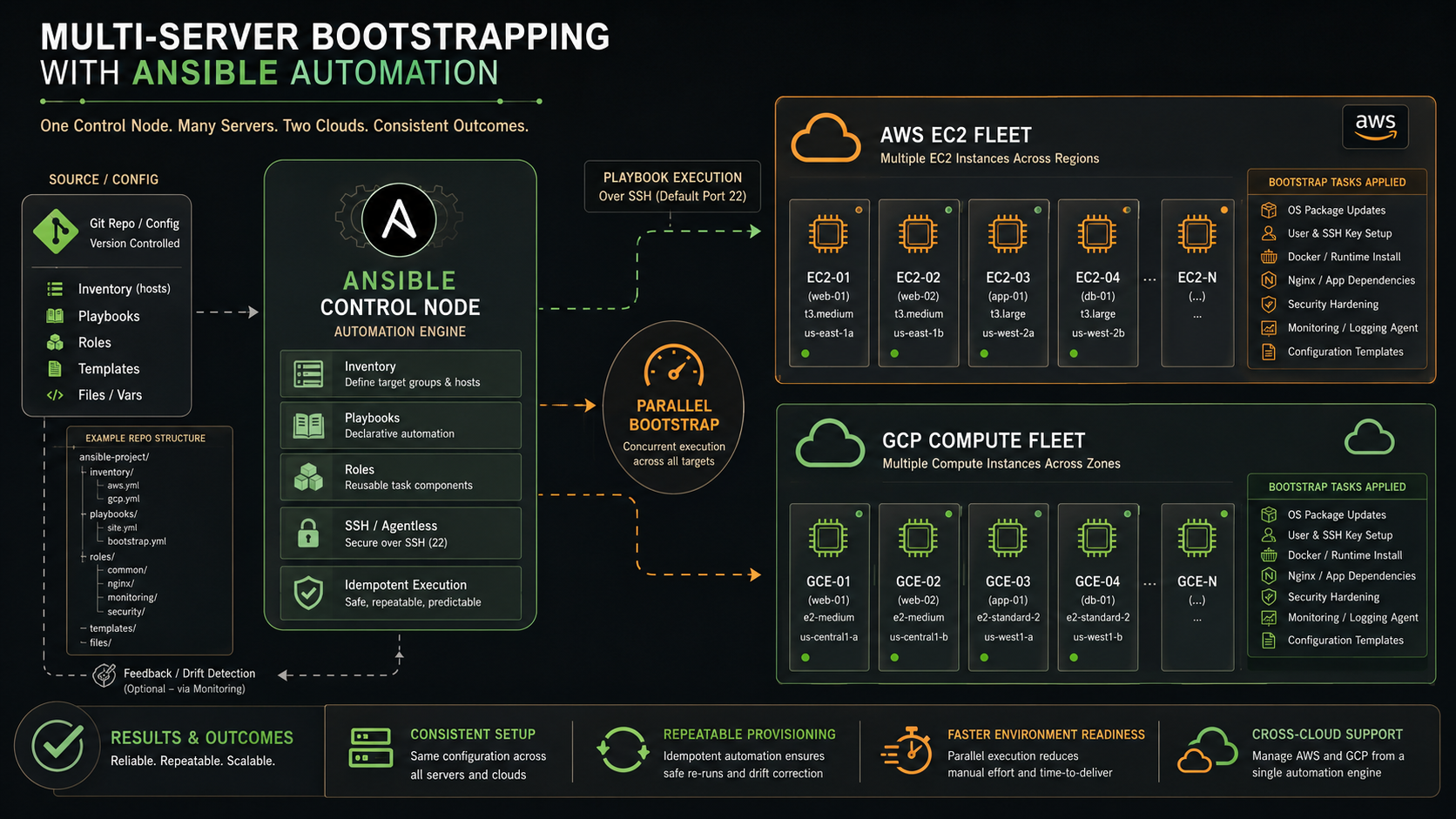
Jinx is organized around reusable Ansible roles with separate inventory layouts for bootstrap and normal operation. A dedicated bootstrap playbook prepares a fresh server by creating the deployment user and installing SSH keys. Once secure key-based authentication is established, the main playbook provisions the remaining infrastructure including package installation, SSH hardening, Docker, Nginx, and Fail2Ban.
Provisioning Workflow
The provisioning process is split into two phases:
Bootstrap
- Creates the permanent administrator account
- Generates and installs an Ed25519 SSH key
- Configures passwordless sudo
- Prepares the server for secure key-based authentication
Provisioning
- Installs common packages
- Applies SSH hardening
- Configures Fail2Ban
- Installs Docker
- Installs and enables Nginx
Separating these phases minimizes the risk of locking yourself out while transitioning from an unsecured server to a hardened production environment.
Repository Structure
The project is organized into reusable Ansible roles:
- users — SSH user creation and key management
- common — Shared packages and system configuration
- security — SSH hardening and Fail2Ban
- docker — Docker installation and configuration
- nginx — Nginx installation and service management
Separate inventories manage connection settings for first-time provisioning and subsequent deployments.
Security Features
- Dedicated non-root administrator account
- Ed25519 SSH authentication
- Password authentication disabled
- Root login disabled
- Passwordless sudo configuration
- Fail2Ban SSH protection
- Secure OpenSSH configuration templates
Motivation
Provisioning Linux servers manually is repetitive and error-prone. Jinx was built to create a reusable, secure, and production-ready foundation that can be used whenever deploying a new VPS or virtual machine.
The project aims to:
- Eliminate repetitive server setup
- Enforce secure defaults from the first deployment
- Learn Infrastructure as Code with Ansible
- Create reusable automation for future projects
- Build a solid foundation for self-hosted applications and Kubernetes clusters
Development Journey
- Designed a two-stage bootstrap workflow for fresh servers.
- Built reusable Ansible roles for modular infrastructure management.
- Automated SSH user creation and key deployment.
- Added OpenSSH hardening and Fail2Ban protection.
- Automated Docker and Nginx installation.
- Structured inventories for both bootstrap and post-bootstrap provisioning.
What's Next
- Molecule testing for Ansible roles
- GitHub Actions CI pipeline
- Multi-distribution support (Ubuntu, Debian, Rocky Linux)
- Automated firewall configuration
- Monitoring stack installation
- Kubernetes bootstrap role
- Automatic Let's Encrypt SSL provisioning